

Connect a custom domain
Connect a domain you own to an individual Pineapple website. You need workspace owner access, a workspace plan that includes custom domains and access to your domain's DNS settings.
A Pineapple subscription and a domain registration are separate purchases. If you do not own a domain yet, start with Buy a custom domain.
1. Choose the website
Open Workspace → Domains → Add Domain and choose the website you want to connect. You can also open that website's Settings → Domain directly.
If you are asked to upgrade, check the selected workspace and its subscriptions.
2. Enter your domain
Enter the domain in Domain URL, choose your Domain provider, review the analytics timezone and select Connect domain.
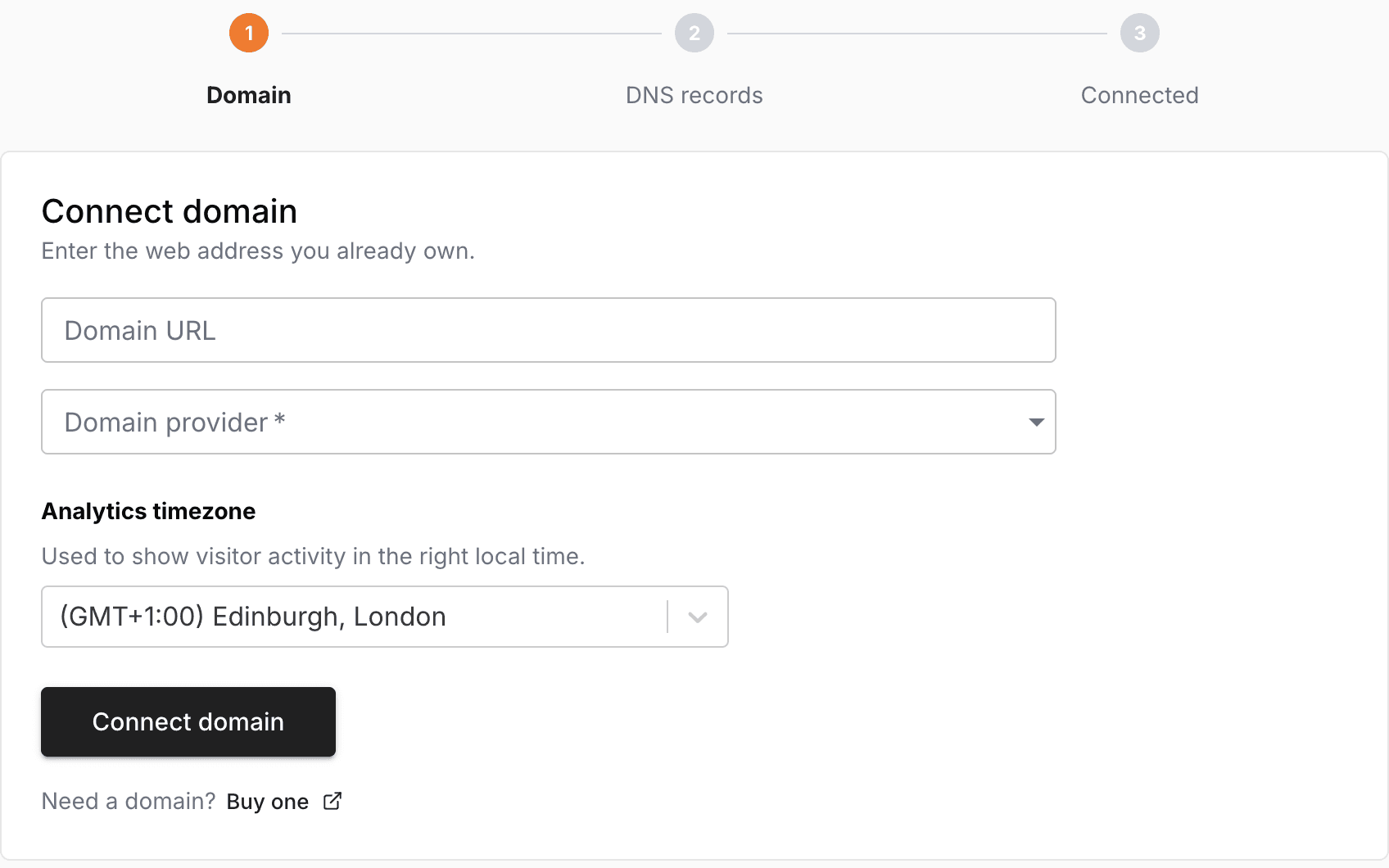
Use the domain name, such as example.com. The setup then moves to the DNS records step.
3. Add the required DNS records
Open the DNS settings at the provider that hosts your domain's nameservers. This may be different from the company where you bought the domain.
Copy the record types, names and values shown in Pineapple. Add any requested ownership-verification TXT record and resolve the specific conflicts identified in the setup screen.
Keep email records and other unrelated DNS settings. Do not replace your entire DNS zone.
Provider guides: Namecheap · GoDaddy · Bluehost · HostGator · BuyDomains
4. Check the connection and publish
Save your DNS changes, return to Pineapple and check the connection again. Allow time for changed records to become visible. Complete Finish setup if it is offered.
Check both the root domain and www version. Once connected, make sure your homepage and other intended pages are published, then open the website at its domain.
If a check fails, follow Fix a custom domain connection.
Manage the connection later
Use Workspace domains to find all your website connections. Before replacing an address, read Change or disconnect a custom domain, including its effect on analytics and existing links.

