

AI credits and workspace usage
AI credits are shared across your workspace. Open Workspace settings → Usage to see the balance and which activities used it.
Read your balance
The top card shows credits left, credits used and the current allowance. If several subscriptions contribute allowances, you may see more than one reset date.
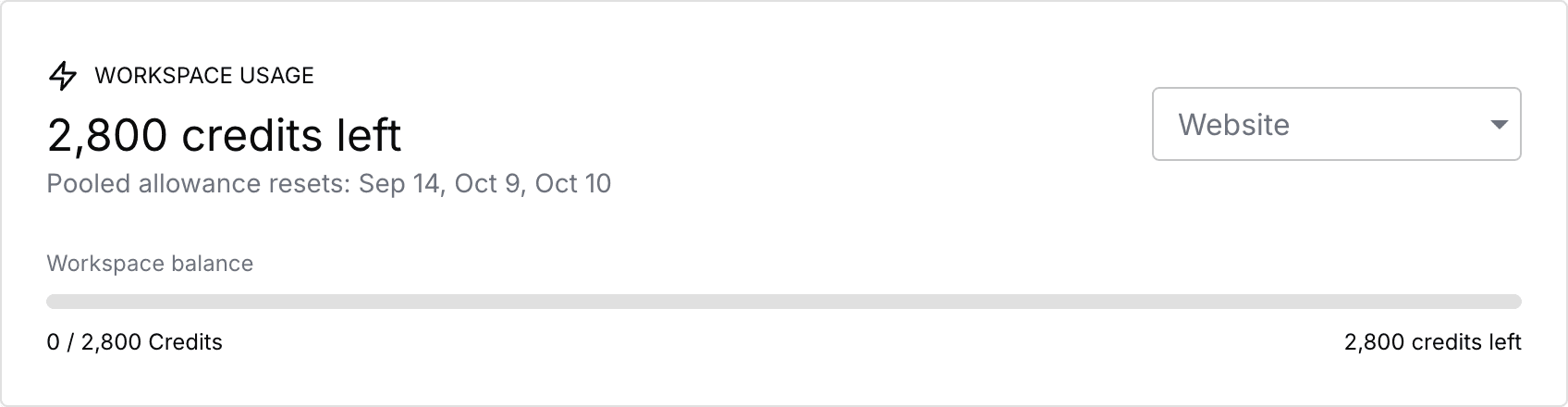
This screenshot uses a test workspace. Its balance and dates are examples, not a plan allowance or price.
Find what used credits
Open Workspace settings → Usage.
Check the workspace balance and reset information.
Use the Website filter to inspect a site's activity.
Review Usage by feature, Usage by website and Recent usage events.
Activity can include AI chat, section edits, website generation, images and translations. The recorded credit cost shows usage; the event count is not the number of credits charged.
Filtering to a website changes the activity you inspect. It does not give that website a separate credit balance. Website-level usage views also use the shared workspace balance.
Understand resets and multiple subscriptions
Eligible subscription allowances are combined in the workspace. Subscriptions can have different allowance periods, so read the reset dates shown in Usage rather than assuming everything resets together.
Use the current plan details and your Usage screen for your allowance. This guide does not promise a fixed cost per AI request.
If something looks wrong
Check the selected workspace and website filter.
If the screen reports a refresh error, select Retry before relying on the displayed figures.
An empty activity table means no recorded activity is shown for that scope and period; it does not mean your credit allowance is zero.
A deleted website can remain in usage history. Deleting it does not erase workspace billing history or cancel subscriptions.
For a billing or access issue, check Manage subscriptions and Subscription statuses.
Read Credit allowances and resets for help understanding pooled allowance periods and reset dates.

