

We tested three image models on the kinds of visuals an independent consultant, coach, or service business needs: a homepage hero, a workshop scene, an organized interior, and a workbook mockup.
Flare was our pick for this test. At medium quality, its median generation time was 10.52 seconds, compared with 29.09 seconds for GPT Image 2 and 14.10 seconds for Sunburst. All three produced usable results on these briefs. We did not find a clear quality winner.
These are fictional examples from a small internal experiment, not customer case studies. The model comparison ran directly through the API. Pineapple now uses Flare at medium quality for new images and selected-image chat edits. Production generation and edit/save/reload checks passed on 11 September 2026.

Start with the job the image has to do
A consultant's homepage needs space for a headline. A coach's workshop page needs a believable scene. A workbook mockup needs readable text and a shape that stays consistent when you change the cover color.
Those requirements matter more than asking for a “beautiful image.” Write the page purpose, subject, composition, lighting, and things to preserve into the prompt. Pineapple's image generator guide covers the existing workflow, and our website image prompt guide has more starting points.
For this comparison, we kept every prompt unchanged across the three models. We also kept size, quality, output format, and image count the same.
What we measured
We made 36 requests on 10 September 2026:
24 generations: four briefs, two repeats, three models.
Nine edits: recolor a cover, replace its title, then change a mug in a follow-up edit.
Three separate
autoquality requests to check the setting used by our previous generation code.
The main comparison used medium quality and PNG output. The website scenes were 1536 × 1024; the workbook and edits were 1024 × 1024. Requests ran one at a time, with model order rotated in the main comparisons. We did not retry or discard any result. We used the model aliases available on that date rather than pinned snapshots, so future runs may differ.
Time means request start to full API response. It excludes Pineapple's queue, upload, image compression, and saving. Costs below are estimates from returned token usage and published rates, with no cache discounts assumed. They are not customer credit prices or invoice totals.
Generation results
Model | Requests | Median time | Observed range | Mean estimated API cost | Accepted drafts |
|---|---|---|---|---|---|
GPT Image 2 | 8 | 29.09s | 26.39–37.98s | $0.04473 | 8/8 |
GPT Image 2.5 Flare | 8 | 10.52s | 9.43–13.82s | $0.01170 | 8/8 |
GPT Image 2.5 Sunburst | 8 | 14.10s | 13.21–14.78s | $0.01170 | 8/8 |
In this controlled medium-quality sample, Flare's median wait was 64% shorter than GPT Image 2's. Its mean estimated cost was 74% lower. Sunburst cost the same as Flare here and took longer.
Those numbers apply to these requests and settings. OpenAI describes Flare as optimized for speed and Sunburst as optimized for quality, but our simple briefs did not expose a meaningful quality difference. The official prompting guide also recommends evaluating the models on your own workload rather than treating quality labels as identical outcomes.


Four prompts you can reuse
The following prompts are the exact generation prompts from the experiment. Replace the business context and colors with your own. Keep the composition instructions if they match your page.
A consultant homepage hero
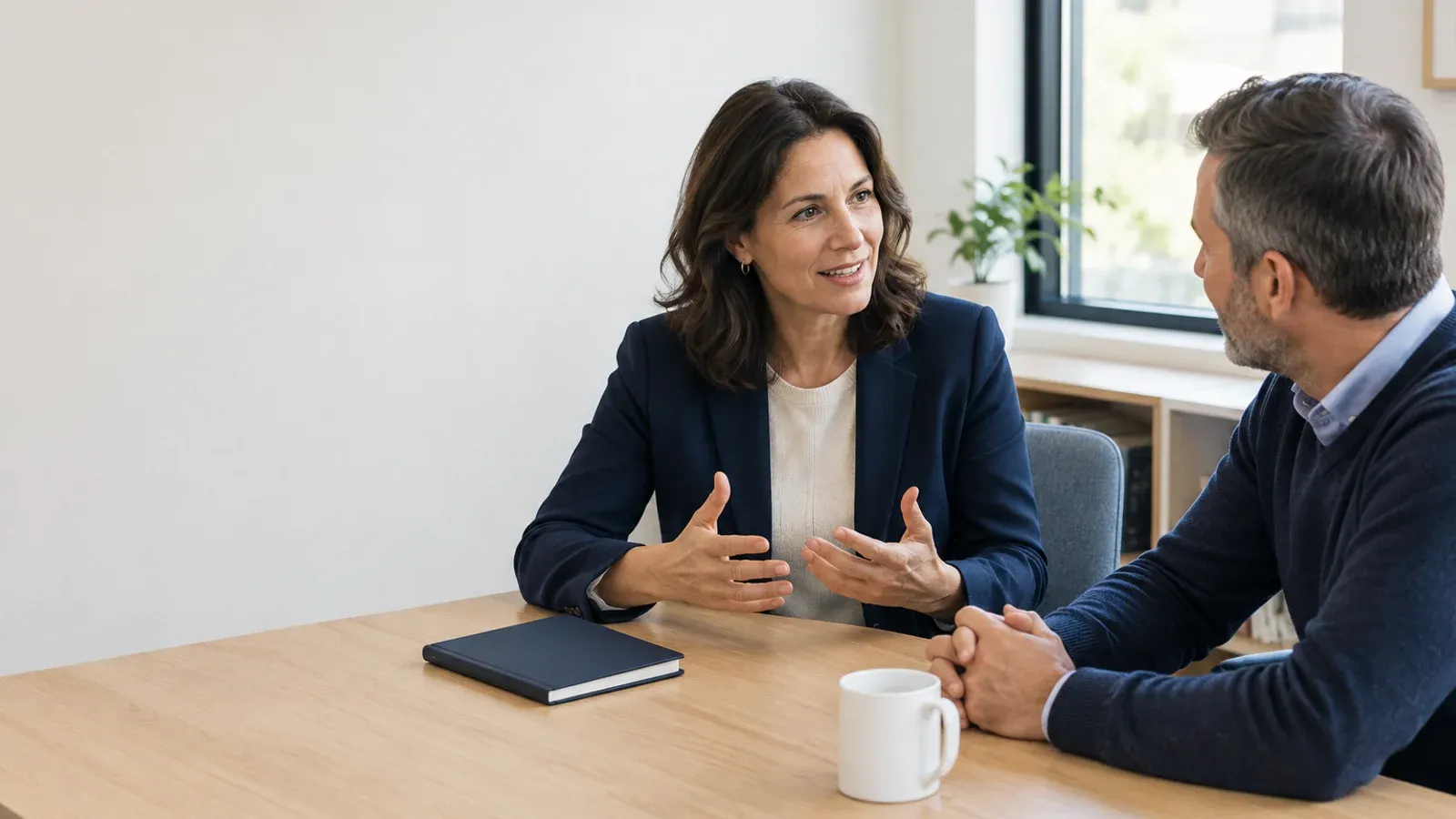
Create a photorealistic editorial image for the homepage of an independent US business consultant. Two adults in their forties discussing a strategy at a light oak desk in a modest, bright office. Put both people and the desk in the right two-thirds. Keep the left third a calm warm-white wall with ample empty space for a website headline added later. Natural window light, navy and warm neutral palette, candid expressions, believable hands and proportions. Include one closed navy notebook and one plain white ceramic mug on the desk. No writing, logos, watermarks, text, or invented charts. Landscape composition. This is an illustrative scene, not a portrait of a real consultant or client.
A leadership workshop page
Create a photorealistic editorial image for an independent leadership coach's workshop page. Three adult professionals seated around a small round table, listening to a fourth adult facilitator standing beside them in a bright, modest meeting room. Show all four people with natural expressions and believable hands. Put a blank flip chart on the right; leave the top-left quarter uncluttered for website text added later. Warm natural daylight, soft sage-green accents, realistic business-casual clothing. No writing, logos, watermarks, exaggerated smiles, or corporate stock-photo poses. This is a clearly illustrative scene, not evidence of a real event.
A home-organizing service hero
Create a photorealistic homepage hero image for an independent home-organizing service in the United States. Show a beautifully organized but lived-in entryway: oak bench, three woven baskets beneath it, a navy coat on a wall hook, one pair of shoes neatly placed below, a leafy plant on the right. Keep the left third mostly a warm-white wall for a website headline added later. Soft morning window light, warm neutral colors, believable architecture and object geometry. No people, text, labels, logos, or watermarks. Avoid a luxury mansion appearance. Illustrative interior inspiration, not a claim about an actual completed client project.
A coach workbook mockup
Create a clean photorealistic product mockup of a fictional leadership coach's downloadable workbook. One closed A5 paperback workbook resting at a slight angle on a warm cream desk. Cover color is matte deep navy, with clear white sans-serif text reading exactly 'The Weekly Reset' on three lines and 'A practical workbook' as the smaller subtitle. Show a realistic book spine and paper edges. Put one plain white ceramic mug at the upper right, fully visible. Soft natural window light from the left, restrained shadow, generous breathing room around the book. No other objects, no brand logos, no extra text, no watermark. The title must be correctly spelled and easy to read.

Editing needs the original image
For a request such as “make the cover sage green,” the model needs the existing image. Generating again from a text description can change the book, mug, camera angle, or layout.
We used the same GPT Image 2 workbook image as the input for each model's recolor and retitle tests. For the follow-up, each model received its own recolored result. That last step tests a short editing sequence; its inputs are therefore different between models.
Model | Edits | Median time | Mean estimated API cost | Accepted edits |
|---|---|---|---|---|
GPT Image 2 | 3 | 35.15s | $0.06121 | 3/3 |
Flare | 3 | 14.06s | $0.02175 | 3/3 |
Sunburst | 3 | 16.75s | $0.02175 | 3/3 |
All three changed the requested detail and kept the workbook scene visually consistent. This was a visual review, not a test of identical pixels or real product identity. We did not test masks, complex logos, faces across edits, or long editing sessions.
Here is the exact recolor prompt:
Edit the supplied workbook image. Change only the navy workbook cover to matte sage green. Preserve the exact words 'The Weekly Reset' and 'A practical workbook', the book position, geometry, page edges, mug, background, lighting, shadows, and camera angle. Do not add or remove objects.


Then we tested a separate title change:
Edit the supplied workbook image. Change only the main cover title from 'The Weekly Reset' to exactly 'The Monthly Reset', using matching white type. Keep 'A practical workbook' unchanged. Preserve the navy cover color, book geometry, position, paper edges, mug, background, shadows, and camera angle. No extra text or objects.

Finally, this prompt went to each model with its own sage-cover result:
Edit the supplied image. Change only the ceramic mug from white to matte terracotta. Preserve the sage-green workbook cover, the exact words 'The Weekly Reset' and 'A practical workbook', all geometry, positions, background, lighting, and shadows. Do not add or remove objects.

The cost catch: auto was different
Our previous generation code omitted the quality setting, which means auto. We ran one additional consultant-hero request per model at that setting.
Model | Time for this one request | Estimated API cost |
|---|---|---|
GPT Image 2 | 22.86s | $0.018745 |
Flare | 14.20s | $0.018745 |
Sunburst | 19.53s | $0.018745 |
The estimated cost was identical in this check. One request per model is too little to generalize, but it is enough to show why “Flare is always 74% cheaper” would be a bad conclusion. Quality settings and returned token counts matter.
For all three models, we calculated cost using $5 per million text input tokens, $8 per million image input tokens, and $30 per million image output tokens. Equal token prices can still produce different image costs because models consume different numbers of tokens. See the model pages for GPT Image 2, Flare, and Sunburst.
The whole 36-request experiment used an estimated $0.915378 of our $10 budget. There were no failed requests or retries. That small sample says little about production reliability.
What is now available in Pineapple
Pineapple now uses Flare at explicit medium quality for new images and selected-image chat edits. Select an image and choose Edit with AI to request a change. The edit receives the original image, and the existing save and undo flow remains available. Pineapple's image-credit charge is unchanged.
On 11 September 2026, production checks generated a new image, edited an existing image, saved the draft, and confirmed that the edited image remained after reloading. Those checks used an unpublished demo site; they did not measure the complete publish journey or end-to-end production speed.
There is a known limitation: wording such as “preserve layout” can send a request to the section/layout assistant instead of the image editor. Start from Edit with AI on the selected image, make the requested visual change clear, and inspect the result before saving. The API timings in this article are not a promise about total waiting time inside Pineapple.
How we judged quality
Codex reviewed the outputs against five requirements: follow the brief, credible visual quality, useful composition, correct details or text, and no distracting artifacts. Each scored 0–2. We accepted drafts at 8/10 or higher, with no critical failure such as a wrong required title or unusable anatomy.
All 24 controlled generations and nine edits met those requirements. The rubric reached its ceiling on these simple examples; that does not mean all models are equally capable. The reviewer knew the model names. This is an internal screen for useful drafts, not a blinded human preference study. One separate GPT Image 2 auto result included faint writing on a paper despite the prompt asking for none.
We would use real photography when an image needs to show the actual consultant, team, client event, or physical product. These generated scenes are illustrations and should be presented that way.
Questions we wanted answered
Is Flare only for generating new images?
No. Both Flare and Sunburst support image editing. We used the Images edit API for this experiment. OpenAI documents generation and editing in its image generation guide.
Is Sunburst better?
It is the quality-oriented option in OpenAI's model family. We did not observe enough benefit on these briefs to choose it as the default. Harder typography, identity preservation, and masked edits need a separate test.
Do these costs change what Pineapple customers pay?
No. These are provider API estimates. Pineapple's existing image-credit charge is unchanged.
Can I copy the prompts?
Yes. Adapt the business, subject, colors, and page purpose. For a real product edit, start with your real product image and check every important detail before publishing.

